
Automated delivery appointments can be arranged directly through the Dashboard. Request an automated delivery appointment at booking, and receive a confirmation when the recipient selects a time. Automated delivery appointment requests are currently only available for Mothership Carrier Network, single shipments. This feature is not available with National LTL Partner Carriers.
How do I schedule an automated delivery appointment?
Who can I invite to schedule an automated delivery appointment?
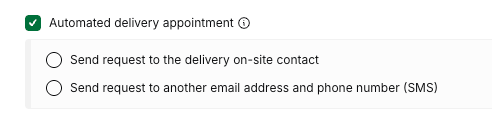
When you select “Automated delivery appointment,” you'll have two options:
-
Send request to destination contact
-
Send request to another email address and phone number
By selecting the destination contact, the request will automatically be sent to the contact provided in the "Deliver to" section of your shipment. If you'd like to provide another contact, simply enter the intended recipient's email address and phone number.
In your quote, you’ll see that the estimated transit time is dependent on the pending delivery window. Once the receiver sets the delivery window, your shipment will automatically be updated with the new estimated arrival.
What if my delivery contact doesn't schedule an appointment?
The recipient of your appointment request has a five-day window to schedule a time.
If the appointment is not scheduled within the allotted period, your shipment will be canceled and you will receive applicable refunds within 5-7 business days.
Where can I see the appointment time for my automated delivery appointment?
Once the appointment has been scheduled, there are a few ways to see your appointment time. First, we'll send you an email and SMS confirmation with the scheduled time. Additionally, the confirmed appointment will appear on the tracking page for your shipment.
Can I schedule an automated delivery appointment for all of my shipments?
Automated delivery appointments are currently only available for single shipments on our local network.
Can I change my appointment time?
Currently, shippers and their delivery contacts do not have the ability to modify appointment times on their own. If you schedule a delivery and need to make changes, please contact our team via the "Support" tab in the dashboard.
How to schedule an automated delivery appointment at an FBA fulfillment center
Booking a shipment to an Amazon FBA fulfillment center requires a unique appointment scheduling process. Instead of using the standard delivery window feature at booking, you must request access to Amazon Appointments. Learn more about how to access the Amazon Appointments feature and how to use it in this article.
How to schedule a residential delivery appointment
Shipments with residential deliveries are required to use automated delivery appointments to ensure smooth handling. Add the Residential accessorial to your shipment and select Automated delivery appointment.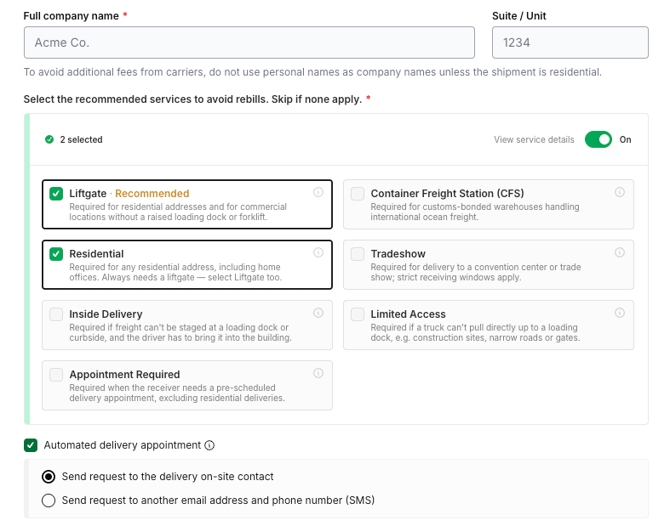
It’s important to provide the best possible recipient for the appointment window request, as your shipment won’t be serviced without a set window. The recipient will be provided with several 4-hour windows to choose from, enabling them to choose the time that works best with their schedule. Once the receiver confirms their preferred timing, you will be notified via email, and the digital Bill of Lading (BOL) will be updated to reflect this choice.